 Reset Observatory
Quota Reset Guides / 05
More Quota or More Useful Quota? Five Reset Cases
A reset can reduce scheduled quota and still unblock more of your planned usage. It can also refill your meter without helping at all. The difference is when you need to work. These five reproducible model cases separate the quota supplied over a period from the quota your workload can actually consume.
Contents
What is being measured?
Scheduled quota is the starting balance plus full refills strictly before the end of the period. Usable quota here means demand actually served by our simulation, not measured human productivity. Unused balance is replaced at each refill, so scheduled supply is not a savings account.
The subscription-period guide explains the calendar arithmetic. This article holds the reset mechanism fixed and changes the workload. It asks a different question: does the quota arrive while there is work for it to do?
How can you reproduce these examples?
Every case begins with 25 units remaining, a normal refill in 24 hours, and a weekly capacity of 100. The reset immediately replaces the balance with 100 and restarts a 168-hour clock. Both paths have the same start and exact cutoff; refills at the cutoff are excluded. Demand is spread evenly through each 24-hour day.
These are generated scenarios, not measurements from customer accounts. They use the same calculation engine as Reset Observatory. Five-hour limits, queues, model quality, bursty activity and time saved are outside the model. The paid-reset first-use condition is explained in OpenAI’s source; here we deliberately assume immediate first use.
What do the five workloads show?
All values below are normalized weekly quota units, not tokens, messages, money or percentages of a subscription fee.
| Workload | Scheduled, no reset / reset | Usable, no reset / reset | Usable difference |
|---|---|---|---|
| 30 days, 5 units each day | 525 / 500 | 150 / 150 | 0 |
| 30 days, 70 units each day | 525 / 500 | 495 / 500 | +5 |
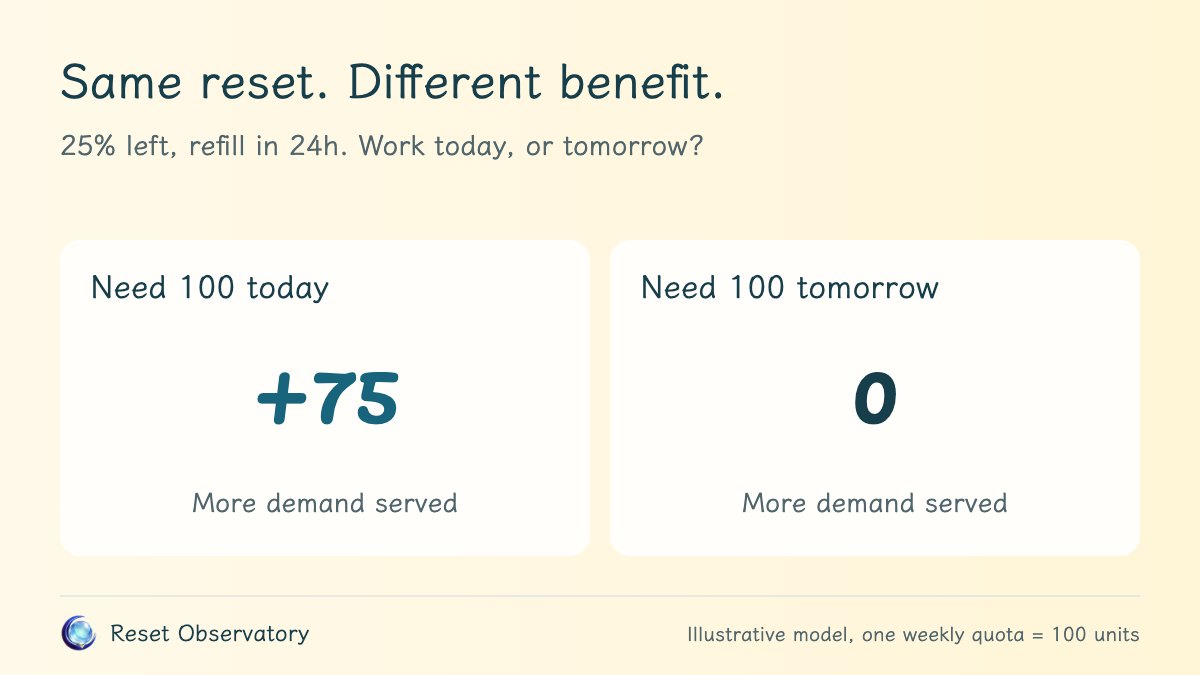
| 2 days, 100 today and 0 tomorrow | 125 / 100 | 25 / 100 | +75 |
| 2 days, 0 today and 100 tomorrow | 125 / 100 | 100 / 100 | 0 |
| 2 days, 70 units each day | 125 / 100 | 95 / 100 | +5 |
Scroll horizontally on narrow screens to view the full table.
The two monthly rows have identical quota schedules. Their usage outcomes differ only because demand differs. More scheduled quota is not automatically more useful quota.
Why can a lower scheduled total still help?
In the urgent-today case, waiting leaves only 25 units available while there is demand for 100. Tomorrow’s natural refill arrives after the day that needs it. Resetting supplies 100 today, serving 75 more units before that deadline, even though the two-day scheduled total is 25 units lower.
In the steady two-day case, no reset serves 25 units on day one and 70 on day two, totaling 95. Resetting serves 70 on day one and the remaining 30 on day two, totaling 100. The useful increase is 5, not the 75-unit jump initially shown by the balance meter.
Neither result proves that resetting is worth a particular price. Converting the outcome to money requires facts this model does not have, including task value, reset cost and other ways to continue working.
When does a full reset add no useful usage?
In the tomorrow-only case, there is no demand before the natural refill. Waiting therefore serves all 100 units tomorrow. Resetting also serves 100, so it changes the meter early without increasing consumption.
With light daily demand, both monthly paths serve all 150 requested units. There is no unmet demand for an extra allowance to solve. This illustrates why the largest theoretical gain should not be the only reason to spend a saved reset opportunity.
How should I use this in my own decision?
First use the calculator to compare the balance change and subscription schedule. Then ask whether your next important task falls before or after the natural refill. A hard deadline, a quiet day and a steady workload can produce different decisions from the same quota balance.
Treat daily averages cautiously. Our even-within-day assumption cannot tell whether a single large task at 09:00 would finish. Changing the cutoff, demand or first-use time can change the result. Check which limit is actually blocking work and read the Codex reset guide or Claude reset guide for the applicable mechanism.