 Reset Observatory
Quota Reset Guides / 04
Claude Limit Resets, Which Window Resets and What Happens to the Date?
The Claude limit resets described in its current Help Center preserve the usual weekly reset day and time. Check which window your offer restores before using it. A session reset and a weekly reset solve different problems, and neither should be confused with a purchased usage-credit balance.
Contents
What is confirmed by the current official documentation?
Claude’s limit-reset documentation says the applicable five-hour or weekly allowance returns to full while the weekly schedule stays in place. The offer determines the window affected. Where an expiry applies, it appears in Settings → Usage. A reset does not reverse previously billed extra usage or change the credit balance.
For regular Max usage, the Max-plan documentation describes separate session and weekly limits, with an account-assigned weekly refresh time. This article covers those documented features, not a promise about every plan, future promotion or API account. Sources were checked on 28 September 2026.
Which clock should I look at?
| What you are checking | Why it matters for a decision |
|---|---|
| Five-hour session window | You can be blocked here even when the weekly meter still has room. A weekly-only calculation does not model this bottleneck. |
| Weekly allowance and next refresh | These are the balance and clock needed for a weekly reset comparison. |
| Reset offer expiry | This tells you how long the opportunity remains available, not when your subscription ends. |
| Subscription end | This is the cutoff you choose when comparing the rest of your current paid period. |
Scroll horizontally on narrow screens to view the full table.
Do not substitute one clock for another. A five-hour warning does not tell you that the weekly balance is empty. A renewal date is not evidence that the next weekly refill happens that day. Record the label beside the percentage, too: 75% used means 25% remaining.
What would a weekly reset that keeps the date add?
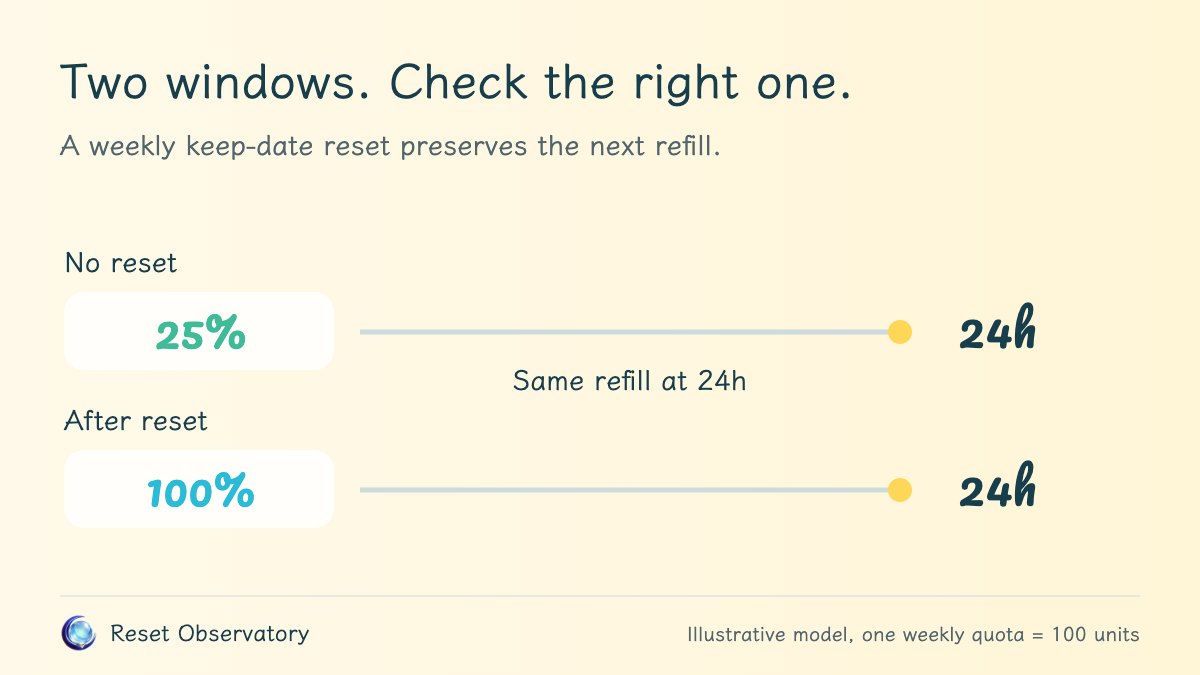
Consider our replacement model with 25 units remaining and a natural refill in 24 hours. One weekly allowance is normalized to 100 units. A qualifying weekly reset now replaces 25 with 100, so the immediate increase is 75 units. The scheduled refill still arrives at hour 24.
Across a 48-hour window, the no-reset path has 25 initial units plus one 100-unit refill, a scheduled total of 125. The keep-date path has 100 initial units plus the same refill, a total of 200. The difference is 75 units. These are separate allocations through time, not a balance that can hold 200 units at once.
That calendar advantage does not mean you can use all 75 extra units. If you do no work before tomorrow’s natural refill, both paths reach that refill with the same new full balance. In that workload, the reset has added no useful consumption. See why scheduled quota and usable quota differ for worked examples.
How should I check the offer before acting?
- Open Settings → Usage and identify the limit actually blocking the next task.
- Read which window the available reset covers and its expiry.
- Record the current weekly balance and refill timestamp before resetting.
- Decide whether there is work you need to complete before the natural refill.
Claude currently directs users to the web or desktop Usage screen to redeem an available reset. See the official instructions for the current entry point and eligibility. The calculator cannot redeem a reset, see whether your account has one, or confirm a successful redemption.
What can Reset Observatory calculate for Claude?
The keep-date comparison illustrates a full weekly replacement with the existing refill schedule preserved. It does not simulate five-hour limits, model-specific restrictions or real message counts. Equal normalized percentages do not imply equal output or equal plan value across providers.
The subscription timeline in the main replay compares restarting the clock with no reset. Do not label that timeline as a personal Claude forecast when your actual offer keeps the date. Use the calculator’s mechanism comparison to understand the difference, and check how unused quota is replaced before interpreting a positive percentage as extra work.